
Safety
Safety, built in.
On Hade, safety isn't a separate menu — it's part of the ride. Know who's coming before you get in, share your trip, and ask for help from the safety shield on the map if you need it.
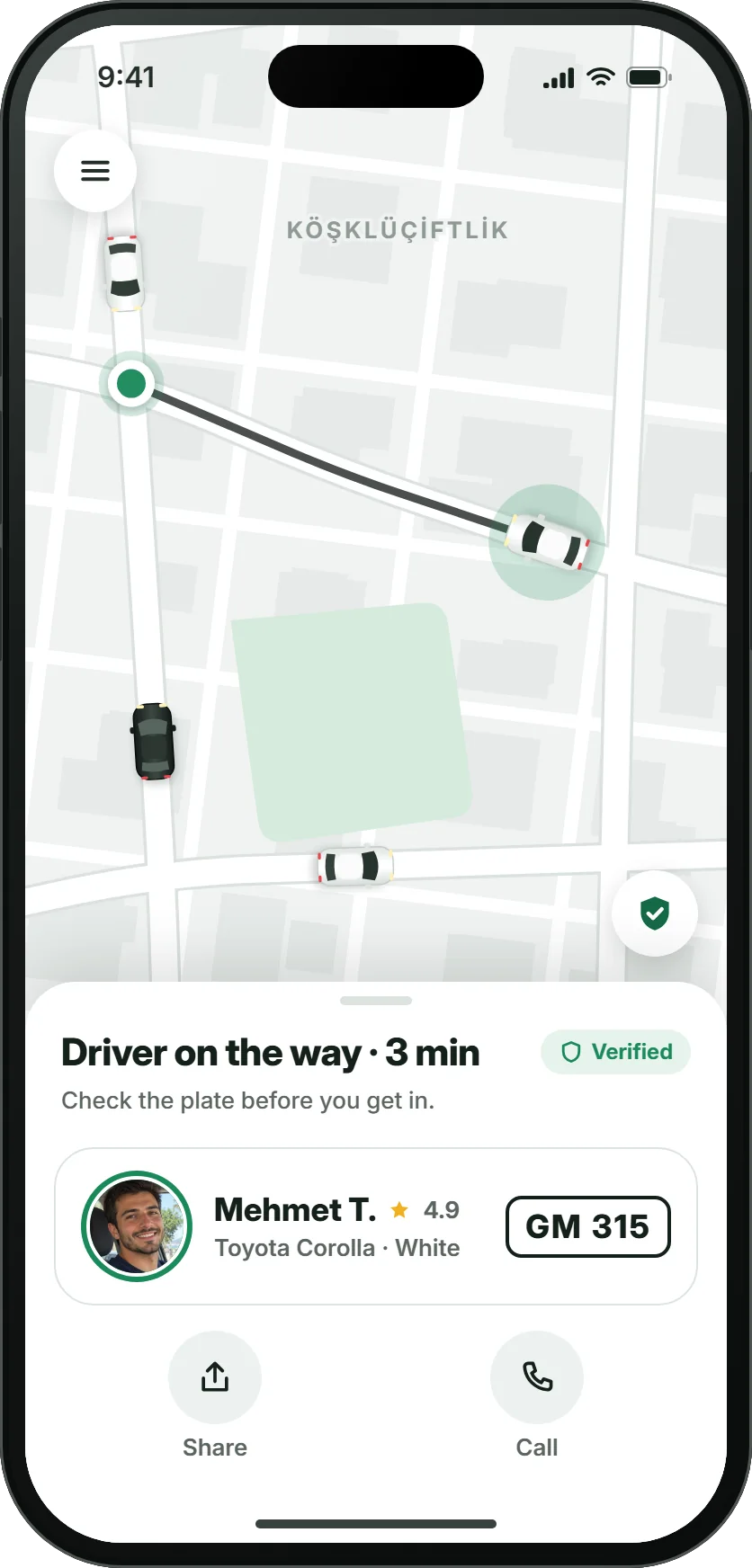
Before you ride
Know who's coming.
Hade starts as a closed, verified community. Everyone uses their real name and photo, and drivers are reviewed by people before they ever take a request.
Verified drivers
ID, licence, registration and insurance documents, a selfie and car photos are checked one by one by the Hade team; there's a short intro call before approval.
Profile photos for everyone
Neither riders nor drivers can use Hade without a photo. Once matched, you see each other's photo and name.
Real names, shown with care
First and last name are required at sign-up; the other side only sees your first name and last initial (e.g. Ayşe K.).
Check the plate
The driver card shows the car's make, colour and plate in large type. Check the plate before you get in; if it doesn't match, don't get in.
During the ride
Help is always there.
The safety shield stays on the map for the whole ride, and Share and Call are always in the same place. You never hunt through menus for safety.
Live trip sharing
Send a link; the person you trust follows the driver's name, car, plate and location live without installing the app. The link closes when the ride ends.
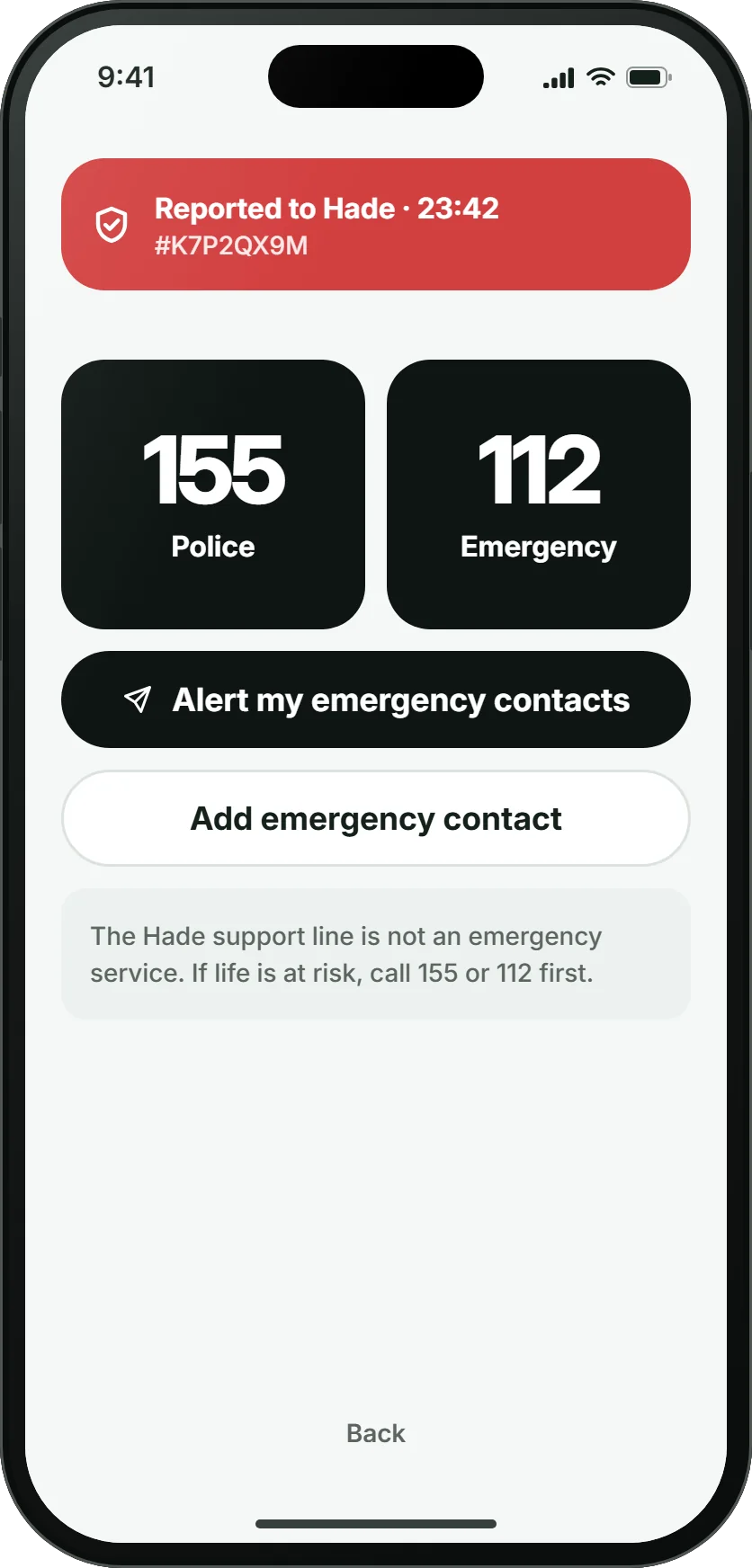
Safety shield
Tap the shield on the map to open the safety panel: Report to Hade, Police 155, Emergency 112 and Share. When you report to Hade, our team is alerted and your location is shared with them for a while.
Emergency contacts
Add up to 3 people you trust; after you report to Hade, the screen that opens lets you send them a ready-made message with the plate, car and live link. You send it — nothing goes out automatically.
"Is everything OK?"
If the car moves away from the planned route or stays still for a long time, the app checks in with you; share your ride or report to Hade with one tap.
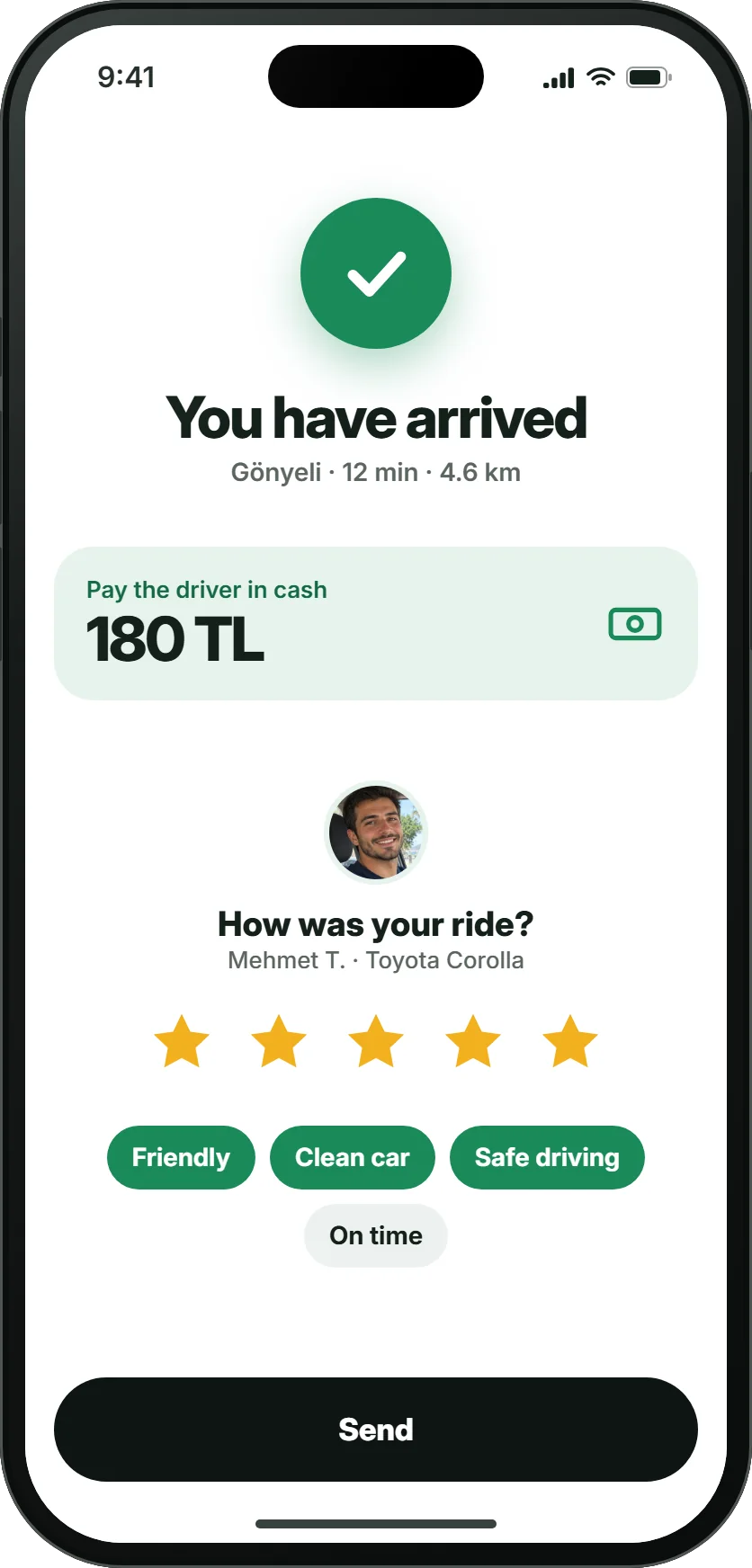
After the ride
Every ride on record.
Route, time, both parties and the payment confirmation are recorded. If something goes wrong, we can see what happened together.
Two-way ratings
Riders and drivers rate each other from 1 to 5 stars. A driver whose rating drops stops receiving requests and our team reviews it.
"Was it the same person?"
On a new driver's first rides we ask whether the person who came matches the profile photo.
Never match again
From the rating screen you can choose never to be matched with someone again.
Report a problem
Report a lost item, payment or behaviour issue from the ride details and follow its status in the app.
In an emergency
If life is at risk, call Police 155 or Emergency 112 first. The Hade support line is not an emergency service.
Questions about safety
See all questionsIs Hade safe?
Drivers go through ID, licence and registration checks, and everyone uses their real name and a profile photo. Before you get in you see the driver's photo, car and plate; you can share your ride live with someone you trust, and the safety shield on the map lets you alert Hade or call 155 and 112. More on the Safety page.
What should I do in an emergency?
Call Police 155 or Emergency 112 first. Tap the safety shield on the ride screen and choose "Report to Hade" to alert Hade as well; from the screen that opens you can send a ready-made message to your emergency contacts. The Hade support line is not an emergency service.
How do I share my ride?
Tap "Share" on the ride screen to send a link. The person you trust follows the driver's name, car, plate and location live without installing the app; the link closes when the ride ends.
How do ratings work?
At the end of each ride, rider and driver rate each other from 1 to 5 stars. Individual ratings are never shown to the other side; the average appears after 5 ratings. You can also choose never to be matched with someone again from the rating screen.
Be first to ride at launch.
Joining the waitlist is free and takes a minute. You hear about the launch and beta invites first.
Coming soon to the App Store and Google Play